
SmartSpace Deployment Guide: Azure Subscription Minimum Requirements
The following steps outline the work required to prepare the environment for the installation of SmartSpace.ai.
1. Create Azure Subscription
Set up a new “Pay-As-You-Go” Azure subscription.
Default Subscription Name: SmartSpace
2. Configure Billing Profile
Set up the billing profile and link it to the Azure subscription.
3. Register Microsoft Providers
Ensure that the following providers are registered in your Azure subscription:
- Microsoft.App
- Microsoft.ContainerService
- Microsoft.CognitiveServices
- Microsoft.Cache
- Microsoft.AlertsManagement
To register these services, go to your Azure subscription, under the Settings tab in the left-hand navigation select Resource Providers. Search for the services listed above and click the “Register” button at the top of the page.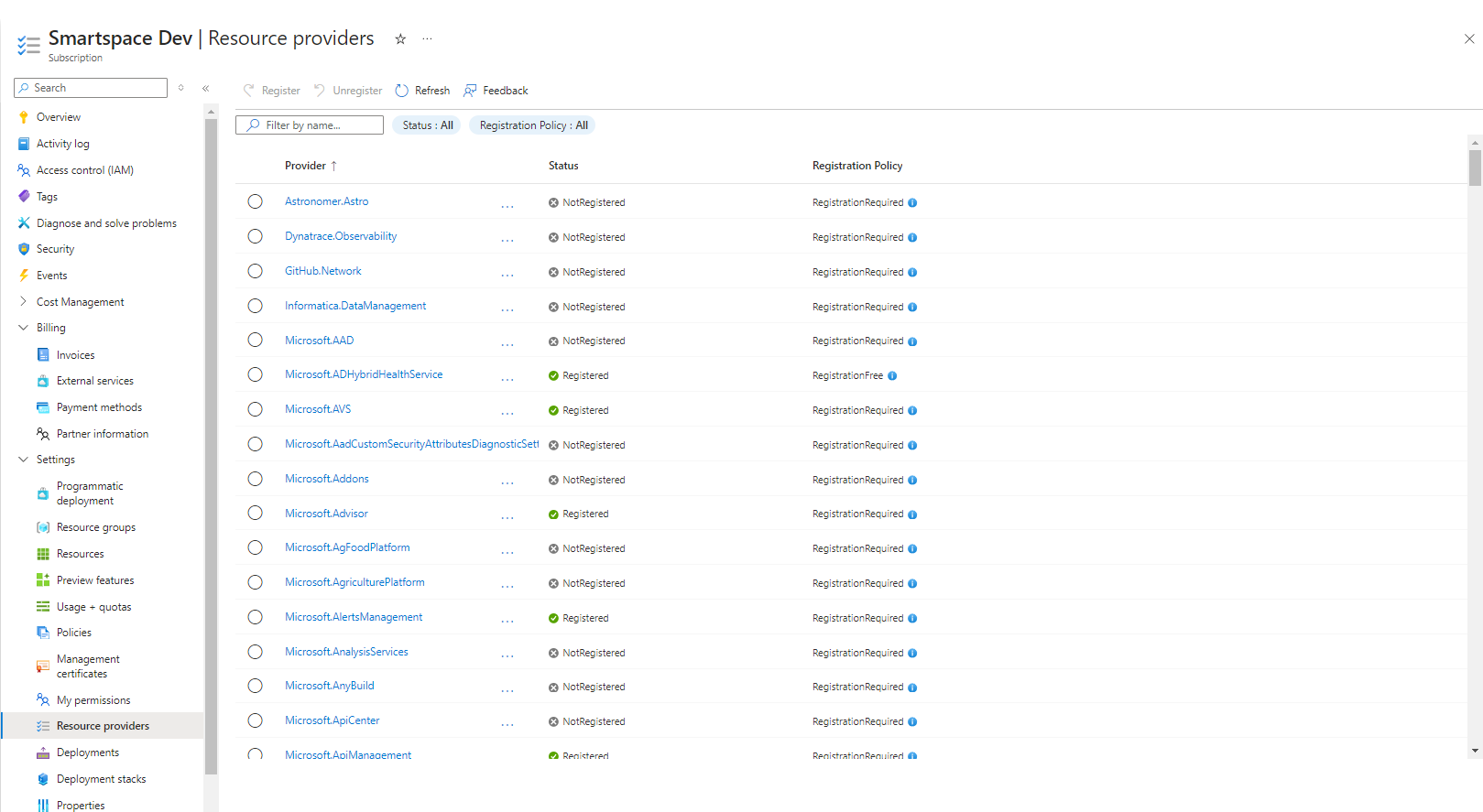
Failure to register these providers will cause errors during installation.
—
You may find the following links useful:
